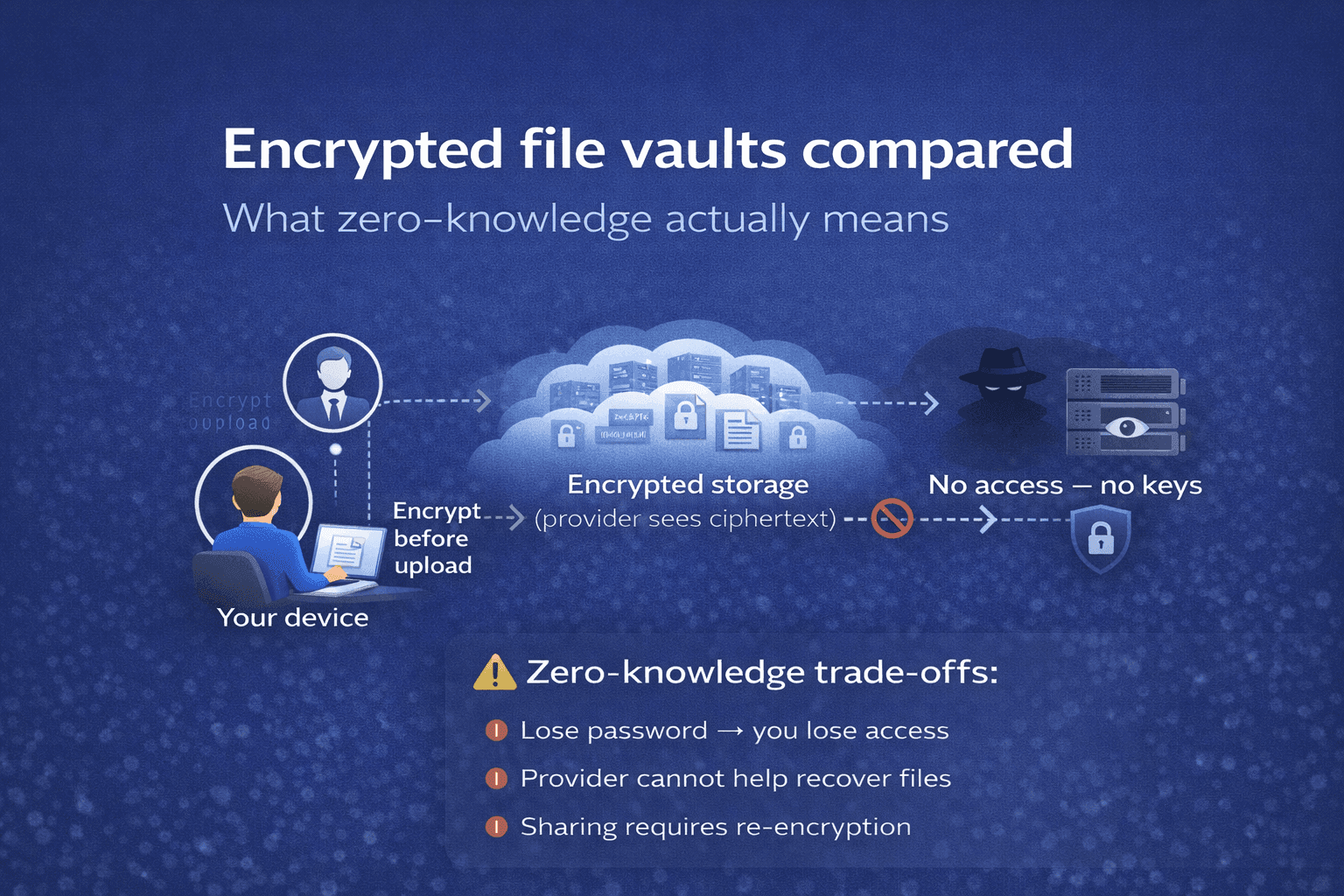
Encrypted file vaults compared (2026): seven zero-knowledge options
Zero-knowledge storage is no longer a niche category. A decade ago, choosing an encrypted vault meant trading convenience for security. In 2026, the best options are as usable as the mainstream cloud drives they replace, but they still differ meaningfully on the parts that matter: how keys are managed, what happens if you lose access, how files reach the people they were intended for, and how much the provider can learn about the files you store.
This comparison covers seven vaults that advertise zero-knowledge architecture: Vaulternal, Proton Drive, Tresorit, NordLocker, Internxt, Sync.com, and MEGA. We focus on how each handles encryption, recovery, and conditional delivery, the three dimensions where the difference between "encrypted" and "truly private" actually shows up. For an introduction to why those three matter, see our guide on finding the right encrypted storage solution.
TL;DR
- Best for conditional delivery and scheduled access: Vaulternal, the only vault with native inactivity triggers that deliver files to specific recipients under specific conditions.
- Best for everyday encrypted cloud storage: Proton Drive, with tight integration with Proton Mail and a mature multi-platform client suite.
- Best for team collaboration: Tresorit, with enterprise-grade permissioning and an audit log designed for compliance-sensitive organizations.
- Best free tier: MEGA, with a generous free quota (and the tradeoff of a murkier corporate history).
- Best for open-source purists: Internxt, with public client code and verifiable builds.
At a glance
Security foundations
| Feature | Vaulternal | Proton Drive | Tresorit | NordLocker | Internxt | Sync.com | MEGA |
|---|---|---|---|---|---|---|---|
| Zero-knowledge encryption | ✅ | ✅ | ✅ | ✅ | ✅ | ✅ | ✅ |
| Client-side key generation | ✅ | ✅ | ✅ | ✅ | ✅ | ✅ | ✅ |
Storage architecture
| Feature | Vaulternal | Proton Drive | Tresorit | NordLocker | Internxt | Sync.com | MEGA |
|---|---|---|---|---|---|---|---|
| Decentralized storage backend | ✅ | ❌ | ❌ | ❌ | ✅ | ❌ | ❌ |
| Open-source clients | Partial | ✅ | ❌ | ❌ | ✅ | ❌ | Partial |
Conditional delivery
| Feature | Vaulternal | Proton Drive | Tresorit | NordLocker | Internxt | Sync.com | MEGA |
|---|---|---|---|---|---|---|---|
| Trusted-contact emergency access | ✅ | ✅ | ❌ | ❌ | ❌ | ❌ | ❌ |
| Per-file, per-recipient delivery rules | ✅ | ❌ | ❌ | ❌ | ❌ | ❌ | ❌ |
| Inactivity-based delivery trigger | ✅ | ❌ | ❌ | ❌ | ❌ | ❌ | ❌ |
| Scheduled (future-date) delivery | ✅ | ❌ | ❌ | ❌ | ❌ | ❌ | ❌ |
| Manual release trigger | ✅ | ❌ | ❌ | ❌ | ❌ | ❌ | ❌ |
| Multi-recipient conditional delivery | ✅ | ❌ | ❌ | ❌ | ❌ | ❌ | ❌ |
| Auditable trigger logic (smart contract) | ✅ | ❌ | ❌ | ❌ | ❌ | ❌ | ❌ |
Platform & ecosystem
| Feature | Vaulternal | Proton Drive | Tresorit | NordLocker | Internxt | Sync.com | MEGA |
|---|---|---|---|---|---|---|---|
| Web client | ✅ | ✅ | ✅ | ✅ | ✅ | ✅ | ✅ |
| Desktop apps (macOS, Windows) | ❌ | ✅ | ✅ | ✅ | ✅ | ✅ | ✅ |
| Linux desktop client | ❌ | ✅ | ❌ | ❌ | ✅ | ❌ | ✅ |
| Mobile apps (iOS, Android) | Roadmap | ✅ | ✅ | Limited | ✅ | ✅ | ✅ |
| Ecosystem integrations | ❌ | ✅ | ✅ | Limited | ❌ | ❌ | ❌ |
| Team / shared workspaces | Roadmap | ✅ | ✅ | Limited | ✅ | ✅ | ✅ |
Plans & access
| Feature | Vaulternal | Proton Drive | Tresorit | NordLocker | Internxt | Sync.com | MEGA |
|---|---|---|---|---|---|---|---|
| Free tier | ✅ | ✅ | ❌ | ✅ | ✅ | ✅ | ✅ |
| Conditional delivery available on free tier | ✅ | ❌ | ❌ | ❌ | ❌ | ❌ | ❌ |
Encryption and key management
All seven vaults claim zero-knowledge encryption, which at a minimum means your files are encrypted on your device using keys the provider cannot access. What separates them is what happens around that core promise: how keys are generated, where they live, and what happens if you lose them.
Vaulternal, Proton Drive, Tresorit, NordLocker, Sync.com, and Internxt all generate your master key on your device the first time you sign in and never transmit the unwrapped key to the server. MEGA uses a similar client-side model, but its key-exchange protocol has been scrutinized in published academic work; users who treat cryptographic reputation as a hard requirement tend to rule it out on that basis.
The more interesting difference is key recovery. Proton Drive and Sync.com let you store a recovery phrase that can restore access to the account if you lose your password, a sensible default for most people. Tresorit leans on enterprise-style account recovery administered by a designated team admin. Vaulternal ties recovery to its trigger system: the same mechanism that delivers files to chosen recipients can also deliver your own master key back to a trusted recovery contact after a defined waiting period. That dual-use design is what makes it fit a conditional-delivery workflow rather than a daily-driver workflow.
Recovery and conditional delivery
This is the dimension where the gap between products is largest.
Most zero-knowledge vaults treat conditional delivery as an afterthought. If the account holder becomes unreachable without having shared credentials, the files are cryptographically inaccessible, which is exactly what zero-knowledge promises to outsiders, but also exactly what locks out the people the files were saved for. Proton Drive addressed this in August 2025 with Emergency Access: you name up to five trusted contacts who can request access to your account, and if you don't respond within a wait window you set, access is granted. It's a real feature, and it's the only one of its kind among the competitors in this table. The shape, though, is coarse: it grants account-wide access (your contact sees everything in Mail, Drive, Pass, and VPN), it requires your contact to actively request access, and it's paid-only. Tresorit and Sync.com have no consumer equivalent; their "digital legacy" options effectively reduce to sharing credentials in advance."
Vaulternal is built around this specific problem. Files are encrypted per-recipient, triggers are defined per-file or per-folder, and the conditions under which a trigger fires (inactivity, a specific date, manual release with a cancel window, confirmation by trusted gatekeepers, wallet inactivity on-chain) are selected by the owner in advance. For a longer walkthrough of how those triggers behave, see how triggers work.
For readers who do not need trigger-based delivery, this dimension simplifies to "pick the vault with the best recovery flow for losing your own password," and any of Proton Drive, Sync.com, or Tresorit will do fine.
Pricing
Pricing in this category tends to be per-user per-month, with a free tier in the 1–20 GB range and paid tiers running up to a few terabytes. Because vendor pricing changes, and because pages indexed by Google go stale fast on this kind of comparison, we recommend checking the vendor's pricing page directly rather than citing numbers that will be wrong a quarter from now.
What matters structurally: Vaulternal, Proton Drive, Internxt, NordLocker, Sync.com, and MEGA all publish a free tier. Tresorit is the one without, which makes sense given its enterprise orientation. Vaulternal's pricing tiers are organized around the number of recipients and triggers a plan supports, which is different from storage-only pricing and worth considering if conditional delivery is the main driver.
Platforms and ecosystem
All seven offer web clients and desktop apps on macOS and Windows; most offer iOS and Android. Linux support is best on Proton Drive, Internxt, and MEGA, and thinner on Tresorit and NordLocker. CLI tools and APIs exist for Proton Drive and MEGA. Vaulternal exposes a programmatic claim flow for recipients but does not expose a general-purpose upload API. For everyday mobile use, Proton Drive and Sync.com have the most polished apps today.
Who should pick what
- Choose Vaulternal if the primary reason you need encrypted storage is making sure specific files reach specific people under specific conditions: long trips, extended periods offline, planned handovers, medical incapacity, or disclosure on a future date.
- Choose Proton Drive if you want a general-purpose encrypted Dropbox replacement and you already use Proton Mail or Proton VPN.
- Choose Tresorit if you're buying for a compliance-sensitive team rather than an individual.
- Choose Sync.com if you want a zero-knowledge drive with a genuinely user-friendly recovery story and no other opinions imposed.
- Choose Internxt if open-source verifiability is a hard requirement.
- Choose NordLocker if you already use other Nord-branded products and want consolidation.
- Choose MEGA if free-tier quota is the dominant constraint and you're comfortable with the vendor's history.
FAQ
Is one of these more secure than the others?
At the cryptographic level, the six non-MEGA options are broadly equivalent: all use well-regarded primitives, all generate keys client-side, all have had independent audits. The meaningful differences are in recovery, conditional delivery, and corporate governance rather than the ciphers themselves. For the conceptual background on why zero-knowledge matters, see our post on finding the right encrypted storage.
Which has the best free tier?
MEGA has historically offered the largest free quota. Proton Drive, Internxt, and Sync.com offer smaller but more generous-than-average free tiers. Vaulternal's free tier is built around a small number of recipients and triggers rather than raw storage, because the conditional-delivery use case rarely involves huge files. Tresorit does not have a free tier.
Can I migrate between them?
Yes, but not painlessly. Every vault in this category encrypts files before upload, so migration means downloading the plaintext from your current vault to a local folder and re-uploading to the new one. Bulk exporters exist for Proton Drive, MEGA, and Sync.com. Vaulternal and Tresorit rely on the user to pull files through the standard client.
Does zero-knowledge mean the provider cannot ever see my files?
In a well-implemented zero-knowledge system, yes, at rest and in transit. But zero-knowledge does not protect against a compromised device, a phishing attack that captures your password, or an encrypted backup of your local disk falling into the wrong hands. Zero-knowledge is the foundation, not the full answer. Our guide on organizing family documents covers the operational habits that matter alongside the encryption.
Do any of these support on-chain activity signals?
Vaulternal is the only option in this list that can trigger file delivery based on wallet-activity signals on a public blockchain. The others treat conditional delivery, if they have it, as a purely off-chain, manual process.
Related comparisons
A practical buyer's guide to zero-knowledge cloud storage: how the category works, what separates the best options, and how to choose for your use case.
Read comparisonFurther reading
Learn how to choose encrypted storage for personal files: zero-knowledge encryption, durable infrastructure, recovery rules, and conditional access explained.
Read articleA practical guide on how to organize important documents for families, covering inventory, physical and digital storage, and access planning.
Read articleStart Protecting What Matters
Your most important files deserve better than a cloud drive. Create your vault — it's free to start.