Is Google Drive Encrypted? What "Encrypted" Really Means for Your Files
Yes, Google Drive is encrypted. Your files are encrypted while they travel to Google's servers and while they sit on Google's disks. But that is not the same as being private, and the gap between the two is where most people misunderstand what their cloud storage actually protects. The important question is not whether a service encrypts your files. It is who holds the keys, because whoever holds the keys can read the files.
This guide explains the three kinds of encryption, what mainstream cloud storage does, what that means for your data in practice, and how zero-knowledge storage changes the answer.
Three kinds of encryption, and why the difference matters
The word "encrypted" gets used for three very different arrangements. Telling them apart is the whole game.
Encryption in transit. Your file is encrypted while it moves between your device and the server, so someone intercepting the connection sees scrambled data. This protects against eavesdropping on the network. It says nothing about who can read the file once it arrives.
Encryption at rest. The file is stored on the provider's disks in encrypted form, so a stolen hard drive is not readable on its own. This protects against certain physical breaches. But the provider holds the keys and applies them automatically whenever the file is accessed, so the provider itself can still read your data.
End-to-end, or zero-knowledge, encryption. The file is encrypted on your device with a key only you hold, before it is uploaded, and it is never decrypted anywhere but back on your device. The provider stores data it cannot read. This is the only one of the three where the company holding your files genuinely cannot open them.
The first two protect your files from outsiders while leaving them readable to the provider. The third protects them from the provider as well. We break this distinction down further in client-side vs server-side encryption explained.
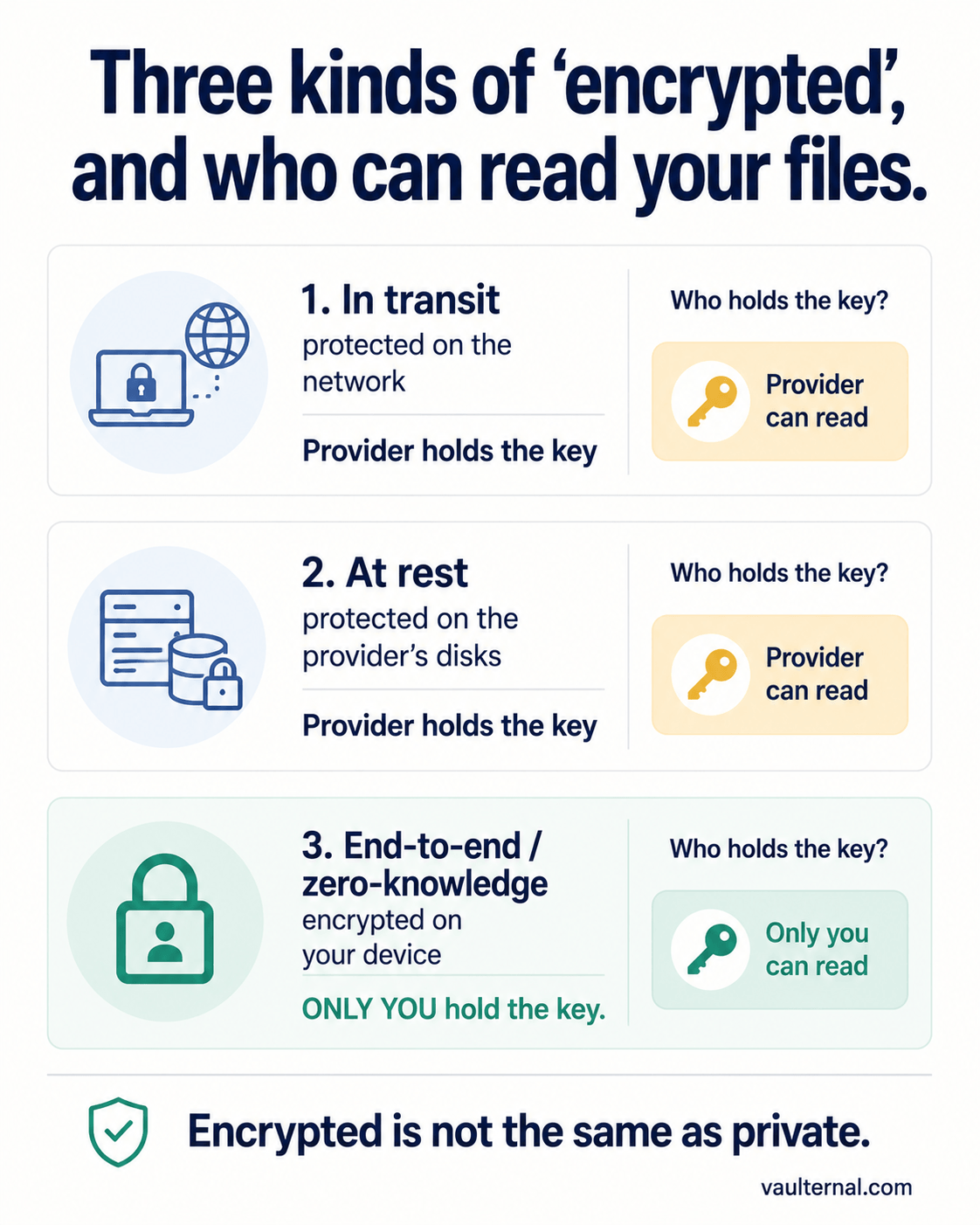
The three meanings of "encrypted," and who can read your files under each.
What Google Drive actually does
Google Drive uses encryption in transit and encryption at rest. Files are protected on the wire and on Google's storage, which are real and worthwhile protections. Google manages the encryption keys, which is what allows the service to do the things people expect from it: preview a document, search inside your files, scan for malware, index content, and restore access when you forget your password.
That key management is not a flaw. It is the design, and it is what makes the product convenient. But it has a direct consequence: because Google holds the keys, Google has the technical ability to access your files. So does anyone who can compel Google to do so, and so would an attacker who gained access to the right internal systems. The encryption is real, and the provider can still read your data. Both things are true at once.
What that means in practice
If a service holds the keys to your files, a few things follow whether or not they ever happen:
- The provider can access your content to power features, enforce policies, or respond to a legal order. Your privacy rests on their policies, which are promises rather than technical guarantees.
- A breach of the provider can expose readable files, because the keys and the data live in the same organization.
- Insider access is possible, since some employees or systems can decrypt in the course of running the service.
None of this makes mainstream cloud storage useless. For plenty of everyday files, provider-managed encryption is a perfectly reasonable tradeoff of convenience against confidentiality. The mistake is assuming "encrypted" means "only I can read it." For your most sensitive files, that assumption is the thing that gets people burned.
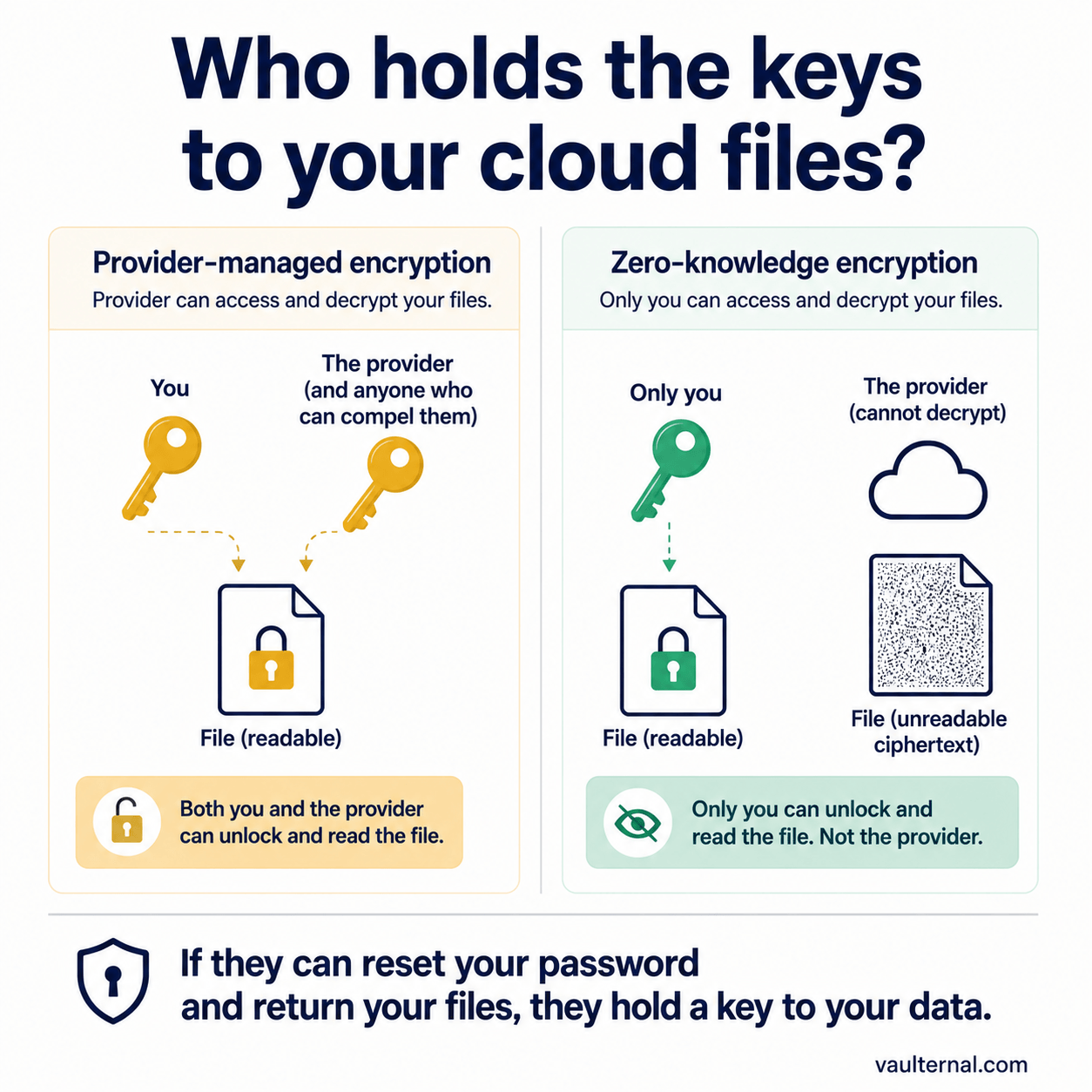
If a service can reset your password and hand back your files, it holds a key to your data.
How to tell what kind of encryption a service uses
You do not need to read a cryptography paper to work this out. A few plain questions usually settle it:
- Can the service reset your password and still give you your files? If yes, they hold a key to your data. True zero-knowledge systems cannot recover your content if you lose your key, precisely because they never had it.
- Can it preview, search inside, or scan your files on the server? If yes, it can read them.
- Does it say "zero-knowledge" or "end-to-end encrypted," and explain that the key is derived and held only on your device? That is the language of a service that cannot read your files.
The convenient answer and the private answer tend to be opposites. A service that can do everything for you is a service that can read everything of yours.
How Vaulternal handles this differently
Vaulternal is built on the third model. Your files are encrypted in your browser with AES-256-GCM before they are uploaded, using a key derived from your wallet, which only you control. The encrypted data on our infrastructure is indistinguishable from random noise without that key. We never receive your plaintext files, your encryption key, or your wallet's private key, which means we cannot read your files, and we could not hand them over in readable form even if we were compelled to.
That is a deliberate tradeoff in the other direction: we give up the ability to preview or recover your content in exchange for a guarantee that does not depend on us staying trustworthy. You can read exactly how the architecture works on our architecture page, or see how it compares against other options in our zero-knowledge storage comparison.
The bottom line
Google Drive is encrypted, and Google can still read your files, because Google holds the keys. That is fine for a lot of what people store, and wrong for anything you need to keep genuinely private. When confidentiality is the priority, the only encryption model that matches the promise most people already assume they have is zero-knowledge, where the keys never leave you. If you want the reasoning behind that model in depth, start with why zero-knowledge architecture matters for your files.